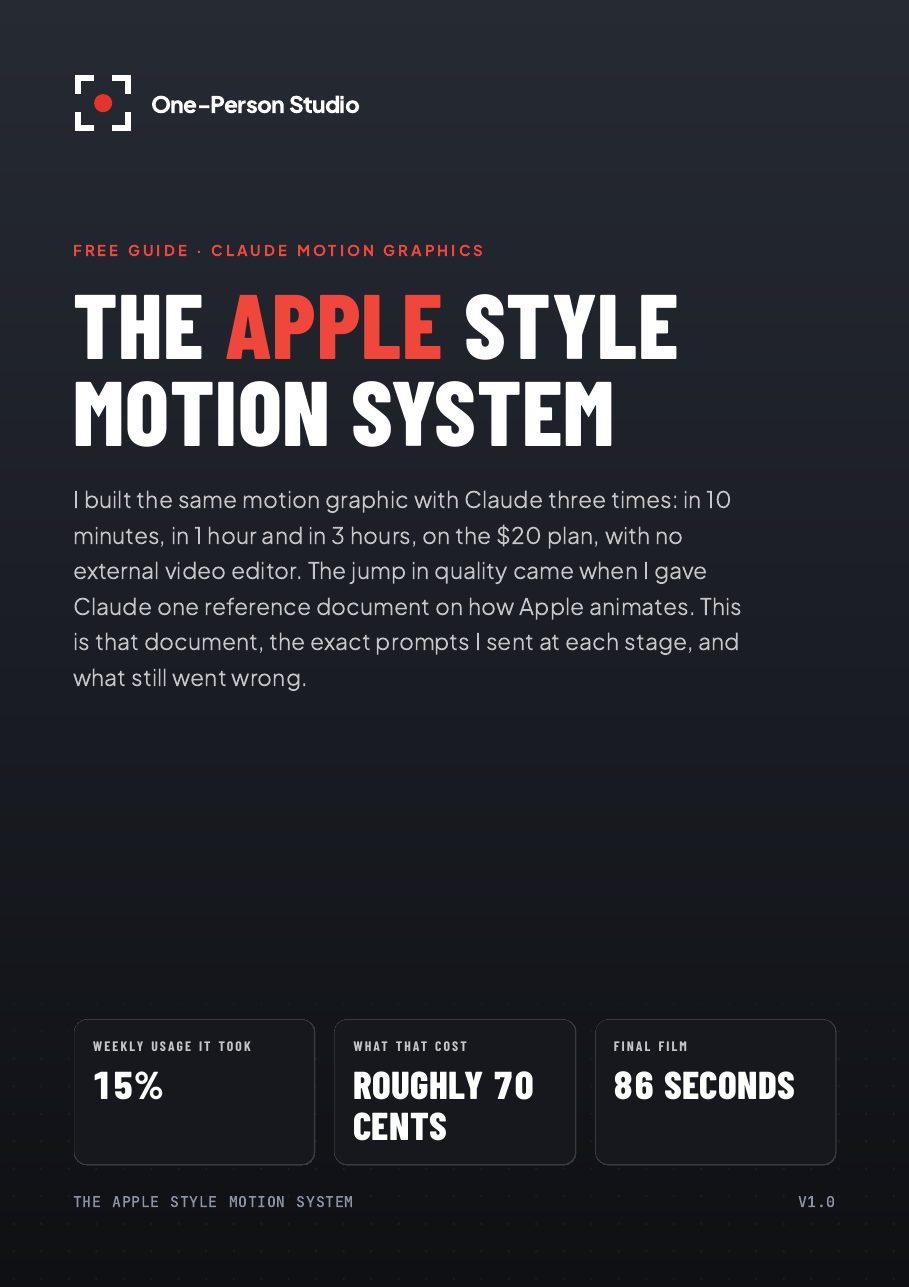
The take
Same motion graphic, three time limits
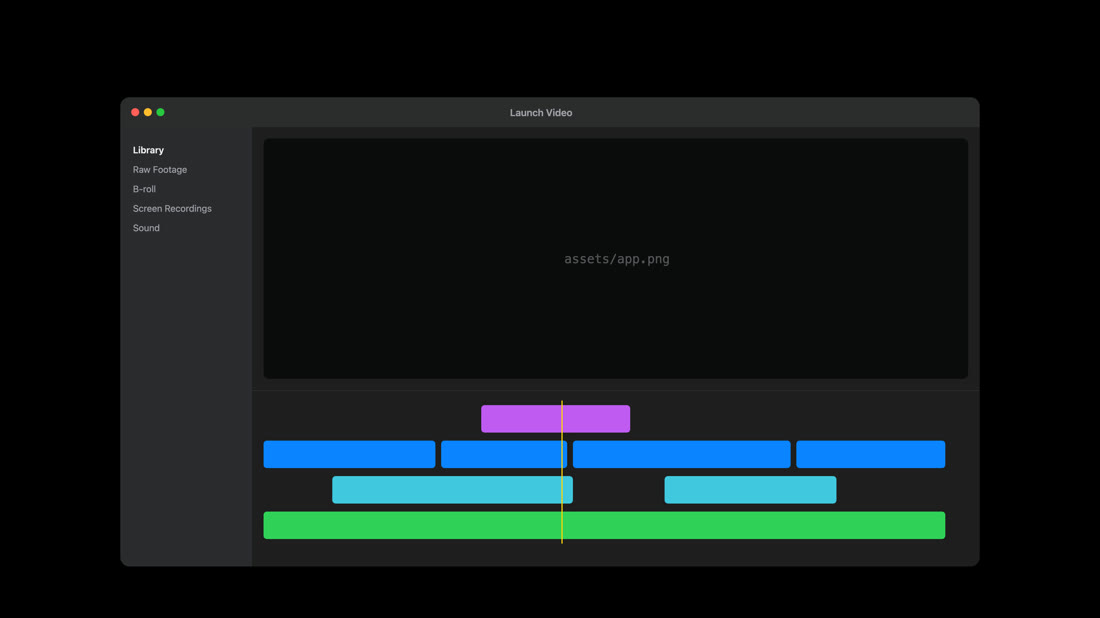
I asked Claude for its version of Apple's Creator Studio ad, then gave it more time and more of my own decisions at each stage. Each clip is the video-editing scene from that version, straight from the render.
One line of prompt. Claude made every creative decision. This version had no "Edit a video" scene; editing was CUT IT.
Oh, that's really bad, the sound effects are horrible.
My ideas, scene by scene, plus one Apple style reference doc.
nice that is much more like the apple look
Real app layouts, my own recordings and sound library, notes on every scene.
that's getting a lot better and a lot closer to the apple style
Inside the guide
Everything I gave Claude, so you can give it to yours
The biggest jump in quality came from one written reference doc. It's in here, along with every prompt and what still went wrong.
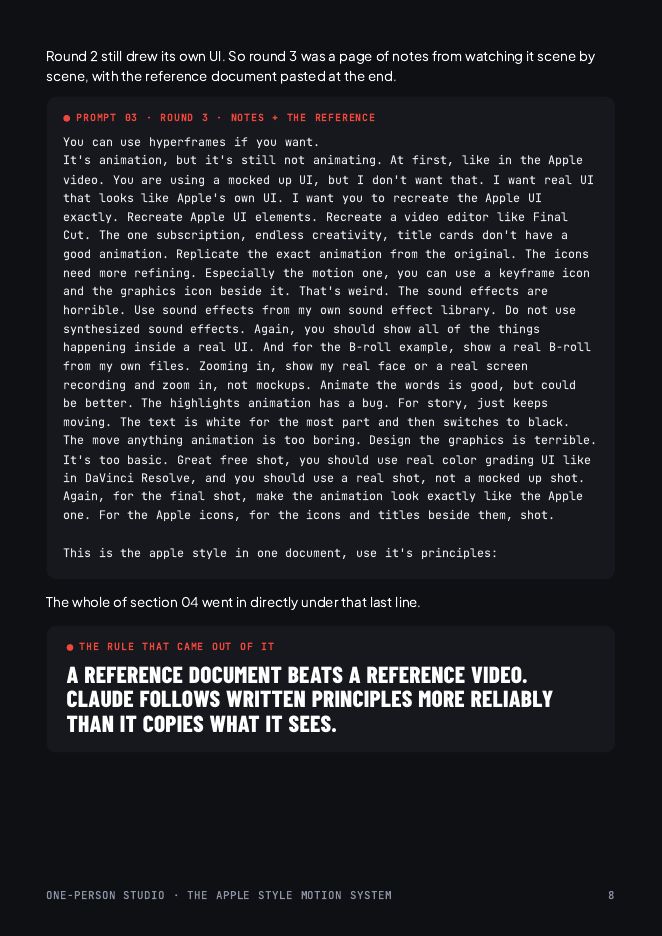
The 7 prompts that ran
The 10-minute, 1-hour and 3-hour prompts, copied from my real Claude session, in order.
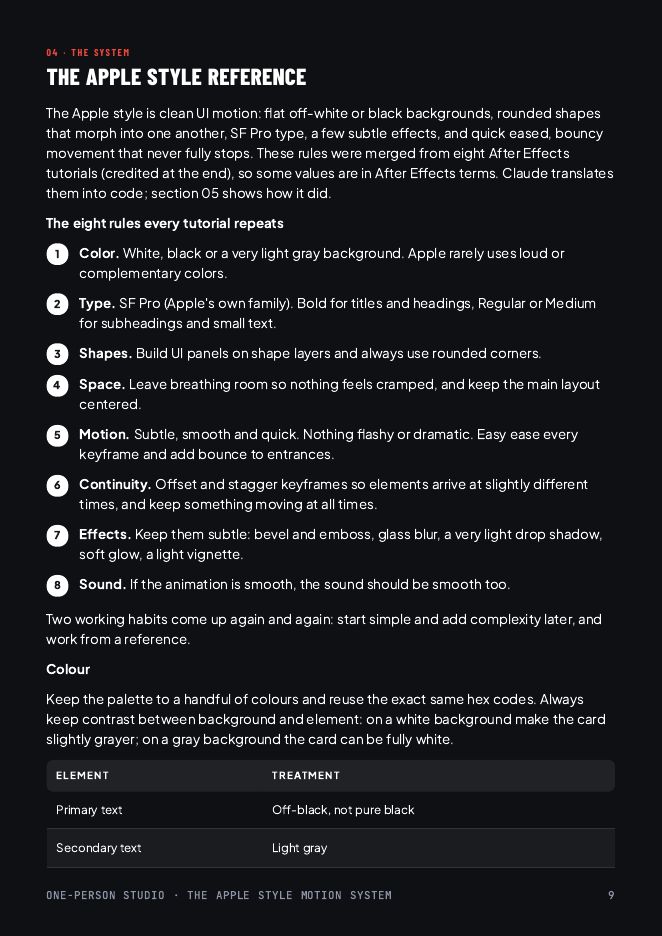
The Apple style reference
Eight rules, plus colour, type, keyframe spacing and text values. Paste it into Claude as it is.
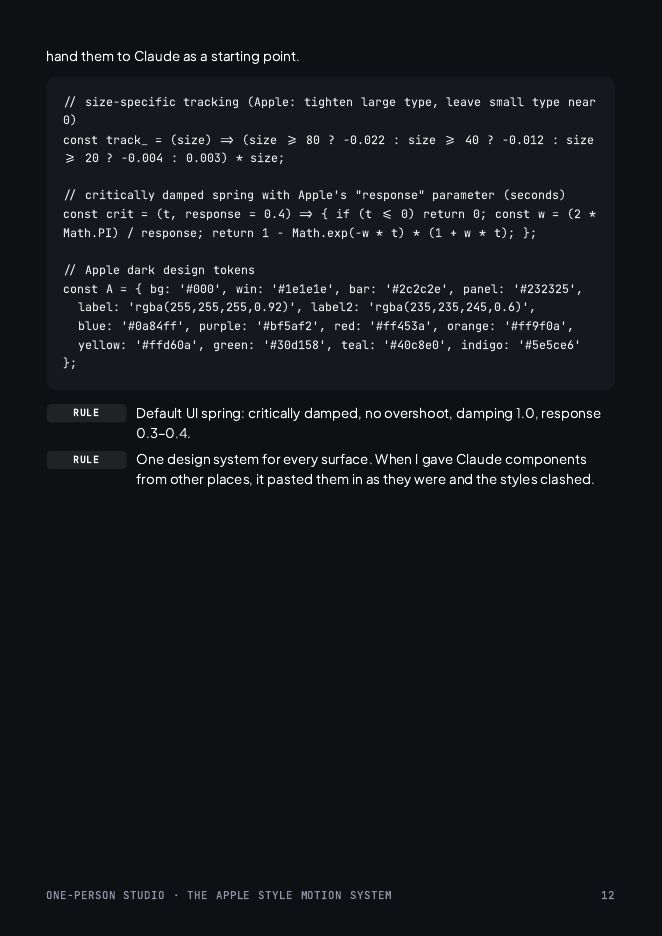
The code Claude wrote from it
The design tokens, springs and letter spacing from the final film's source, as a starting point.
What still went wrong
Generic windows, badly timed sound, and the five rules I'd follow on the next one.
Plus the system that runs it
Claude builds it for you, the same way
The guide shows what I did. The pack lets Claude do it on your Mac: the skill I used, with the lessons from the video built in, and the engine that renders every frame.
The motion-design skill
Briefs, shot list, frame-by-frame self-critique and render. It won't draw an interface it has no real screenshot of: it stops and asks.
The render engine
Apple's springs, colours and type spacing as code. Renders 4K60 video, transparent overlays for your editor, and contact sheets.
A 5-step install
For Claude Code on a Mac. The test prompt renders your first film in under a minute.
The Apple Style Motion System/
├─ START HERE.pdf
├─ The Apple Style Motion System.pdf
├─ 1 Apple Style Reference.md
├─ 2 Prompts.md
├─ skills/motion-design/
├─ motion-studio/
└─ examples/
A line from the prompts
The line that made the difference
Round 3 was a page of notes on every scene. It ended with this line, with the whole reference doc pasted under it.
This is the apple style in one document, use it's principles:
The pack has the full prompt, the doc it pointed to, and the four rounds that came after it.